
darksniperknight

723

5

6
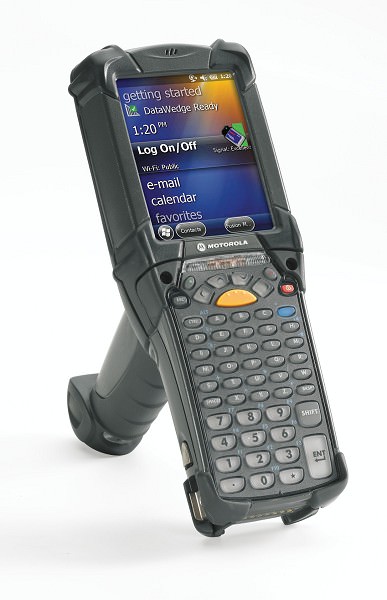
I use this at work, no one knows the button short cut to remove the key board that pop up on the screen. I am on my knees begging... That and stocking shit. It's the same type scanner in the pic, mc9200, I think.
PwnageHobo
Fucken Google it, or something
FinnViking
I really hated this doomsday-device! I wish i never need to touch one of those again..
philibuster22
Krakraalldayday
Just made me cringe seeing that, just got off 12hr shift
ComehereAreyouticklish
Edit the registry. HKEY_CURRENT_USER\ControlPanel\SIP\TurnOffAutoDeploy set the DWORD value to 1
ComehereAreyouticklish
I have a love hate relationship with symbol/zebra. We switched to the tc8000 Android scanners and I love them. So much easier to manage.
ShaitanTheUnborn
@op it’s a registry tweak to stop it popping up as it runs on Windows mobile iirc. Rather than any shortcut key to dismiss.
ShaitanTheUnborn
Like this https://support.tracerplus.com/article/241-disabling-the-auto-pop-up-of-the-sip-keyboard-on-the-zebra-mc92n0-ce-7-0-device
darksniperknight
Thanks but I don't think I am allowed to edit or disable like that. I know there's a button short cut, but can't remember.
ShaitanTheUnborn
No worries. Good luck finding it!