
ben18444

340

6

2
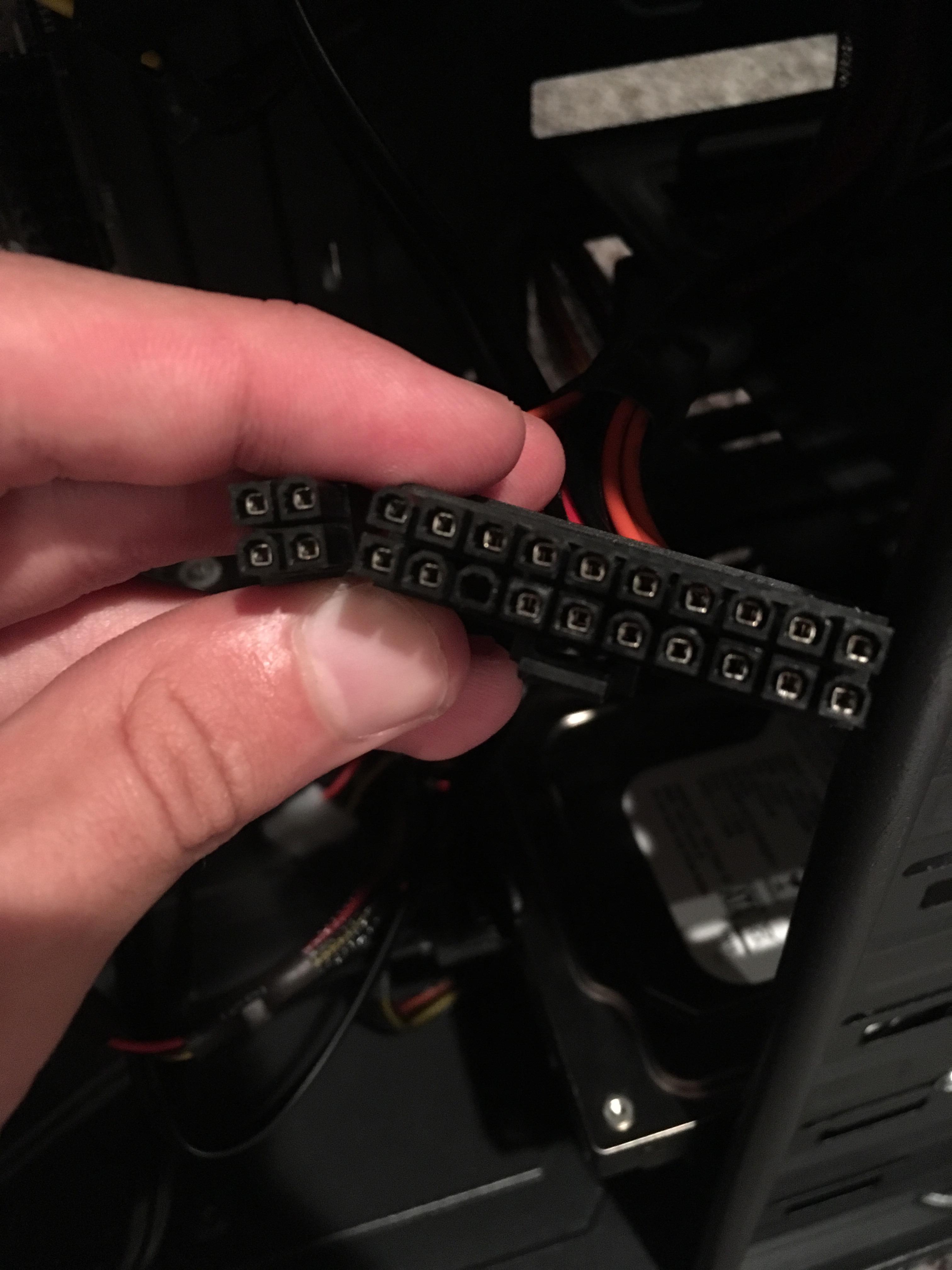
It's a 20+4 pin ATX cable. Tried powering the PC on, took this out and noticed that. It doesn't have a cord connecting to it, but there's stuff in the spot that it goes to.
Oct 10, 2016 11:57 PM
ben18444
340
6
2
It's a 20+4 pin ATX cable. Tried powering the PC on, took this out and noticed that. It doesn't have a cord connecting to it, but there's stuff in the spot that it goes to.
WhitePoetWarlord
check that the psu switch on the back is on, and the power button front panel wire is connected to the motherboard correctly
notevenaname
http://www.smps.us/atx-connector-20-24pin.jpeg I think it is yeah
JustANoobOnImgurWithOneCat
Mine was like that, it works fine, so yeah.Make sure your CPU power cable is connected(8 pin I think).That got me bad on my 1st (current) PC
graymalkin
Yep. http://www.smps.us/atx-connector-20-24pin.jpeg NC = not connected.
CubanPeteKingOfTheRhumbaBeat
Yes its supposed to look like that
sleete
Yes it is supposed to be like that. That one goes to your motherboard. The extra 4 pins is if there's a slot on the MB for it.
graymalkin
the whole thing goes on, very very few motherboards now take 20pin only. Lots of motherboards take additional 4pin supplemental supplies.
sleete
Thanks for the translation.